

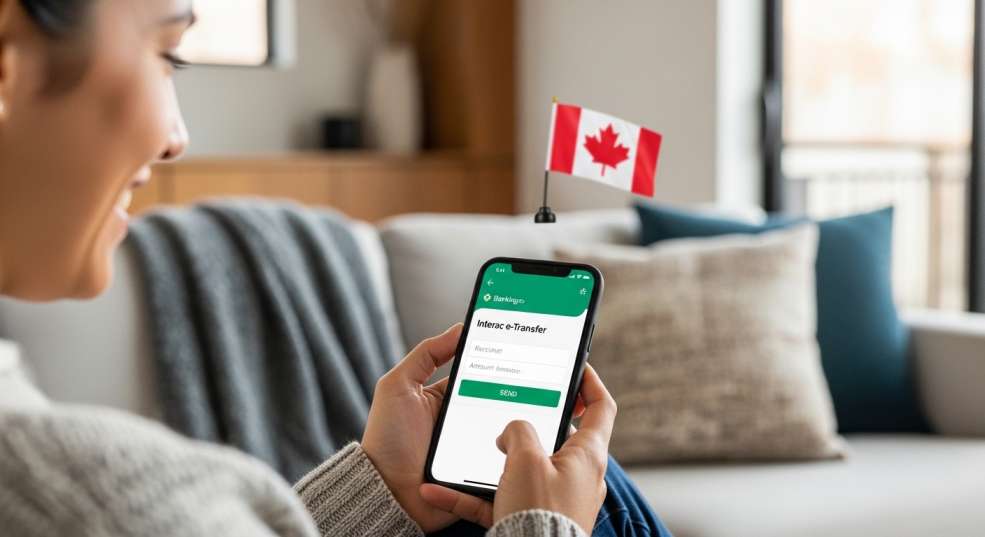
If you’ve ever split a dinner bill with friends, paid your landlord, or received money from a family member in Canada — chances are you’ve already used Interac e-Transfer. It’s one of those things that Canadians take for granted, but for newcomers arriving in Canada for the first time, it can feel surprisingly unfamiliar.
Interac e-Transfer is Canada’s dominant person-to-person (P2P) digital payment system. In 2024, Canadians sent over 1.4 billion e-Transfer transactions — and that number keeps climbing. Whether you’re new to Canada or just looking to get more confident with your banking, understanding how this system works is an essential part of everyday financial life here.
In this guide, we’ll break down exactly what Interac e-Transfer is, how it works step by step, what limits and fees to expect, and how to stay safe using it. By the end, you’ll be able to send and receive money in Canada like a pro.
What Is Interac e-Transfer?
Interac e-Transfer is a Canadian electronic money transfer service that lets you send and receive money between bank accounts using just an email address or phone number. It’s operated by Interac Corp., a not-for-profit organization that has been the backbone of Canadian debit payment infrastructure since the 1980s.
Think of it like this: instead of writing a cheque or withdrawing cash, you log into your bank’s app, type in the recipient’s email or phone number, enter the amount, and hit send. The money moves from your account to theirs — securely and usually within minutes.
It’s completely unique to Canada. You won’t find Interac e-Transfer in the United States, the UK, or anywhere else. This makes it one of the most distinctly “Canadian” parts of daily life — right up there with Tim Hortons and hockey.
Who Can Use Interac e-Transfer?
Anyone with a Canadian bank account at a participating financial institution can use Interac e-Transfer. This includes all of Canada’s Big Six banks (RBC, TD, Scotiabank, BMO, CIBC, and National Bank), plus hundreds of credit unions and online banks like Tangerine, EQ Bank, and Simplii Financial.
Both senders and recipients must have accounts at Canadian financial institutions. Interac e-Transfer does not work for international transfers — for that, you’d need a wire transfer or a service like Wise or Remitbee.
How Does Interac e-Transfer Work? A Step-by-Step Walkthrough
Here’s what actually happens when you send or receive an Interac e-Transfer:
Sending Money
- Log into your bank’s online banking platform or mobile app.
- Navigate to “Interac e-Transfer” or “Send Money” in the menu.
- Add or select your recipient using their email address or Canadian phone number.
- Enter the dollar amount you want to send.
- Add an optional message (great for notes like “rent – February” or “dinner last week”).
- If Autodeposit is NOT enabled by the recipient, set a security question and answer — and share the answer with them separately (not in the same email or text!).
- Confirm and send. The funds leave your account immediately.
The recipient typically receives an email or SMS notification within one minute of the transfer being sent.
Receiving Money
If the recipient has Autodeposit set up (more on that shortly), the money lands in their account automatically — no action needed. If Autodeposit is not enabled, the recipient:
- Opens the notification email or text.
- Clicks the link to accept the transfer.
- Logs into their online banking.
- Answers the security question.
- Selects the account to deposit the funds into.
Transfers are typically available almost instantly, though it can take up to 30 minutes depending on your bank. Critically, once a transfer is accepted or deposited via Autodeposit, it cannot be reversed — so always double-check the recipient’s contact info before sending.
Autodeposit: The Feature That Makes e-Transfer Even Easier
Autodeposit is one of the most useful features of Interac e-Transfer, and it’s widely underused — especially among newcomers. When you register for Autodeposit, any money sent to your email address or phone number gets deposited into your chosen bank account automatically, with no security question required.
This offers two huge benefits:
- Faster deposits — money arrives without you needing to log in and accept it.
- More security — there’s no security question floating around that could be intercepted or guessed.
To set up Autodeposit, log into your bank’s app or online banking, go to Interac e-Transfer settings, and look for the Autodeposit option. Register your email or phone number to a specific account, confirm via the verification link sent to you, and you’re done.
Pro tip for newcomers: Set up Autodeposit as one of your first tasks after opening a Canadian bank account. It immediately makes receiving payments from employers, landlords, or friends completely seamless.
Interac e-Transfer Limits: How Much Can You Send?
One of the most common questions — especially for people paying rent or making larger purchases — is: how much can I send at once? The honest answer is: it depends on your bank.
Interac itself sets a maximum of $25,000 per transaction, but individual banks impose their own lower limits. Here’s a summary of limits at Canada’s major banks:
TABLE 1: Interac e-Transfer Sending Limits by Bank (2025)
Bank | Per Transaction | 24-Hour Limit | 7-Day Limit | 30-Day Limit | Send Fee (Personal) |
RBC | Up to daily limit | $3,000* | Not specified | Not specified | Free (most accounts) |
TD Bank | $3,000 | $3,000 | $10,000 | $20,000 | Free (select accounts) / $1.00 |
Scotiabank | Varies by account | Varies by account | Varies | Varies | Included in plan |
BMO | $3,000 | $2,500–$3,000 | $10,000 | $20,000 | Free or $1.50 |
CIBC | $3,000 | $3,000 | $10,000 | $30,000 | Free (some plans) / $1.50 |
National Bank | $3,000 | $3,000 | $10,000 | $20,000 | Included in plan |
Tangerine | Varies | Varies | Varies | Varies | Free |
EQ Bank | $3,000 | $3,000 | $10,000 | $20,000 | Free |
* RBC’s daily limit is tied to your client card’s daily access limit. Contact your bank to confirm your current limits. Sources: individual bank websites and Remitbee (2025).
Rolling Limits Explained
Most banks use “rolling limits” rather than calendar-day limits. This means if you send $3,000 at 3:00 PM on Tuesday, you won’t be able to send again until 3:00 PM on Wednesday — not at midnight. The same rolling logic applies to 7-day and 30-day windows. Many people get caught off guard by this when trying to split a large payment across multiple transfers.
Need to Send More? Your Options
If you need to send more than your bank’s e-Transfer limit allows, you have a few options:
- Request a temporary or permanent limit increase from your bank (approval varies).
- Use Electronic Funds Transfer (EFT) for large amounts — slower but higher limits.
- Use wire transfers for very large or time-sensitive amounts.
- Switch to a bank with higher limits (e.g., some credit unions offer higher caps).
Interac e-Transfer Fees: What Does It Actually Cost?
Good news: for most Canadians, sending an Interac e-Transfer is either free or very cheap — and receiving money is always free. The fees depend on your bank account plan.
Many standard chequing accounts now include unlimited free Interac e-Transfers as part of the monthly fee. Others charge a per-transaction fee. Here’s the general landscape:
TABLE 2: Common Interac e-Transfer Fee Scenarios
Scenario | Typical Fee | Notes |
Sending (free account) | $0.00 | TD Unlimited, RBC No Limit, CIBC Smart™, etc. |
Sending (pay-per-use account) | $0.50–$1.50 | Charged at time of transfer |
Receiving | $0.00 | Always free for personal accounts |
Cancelling a transfer | $3.50–$5.00 | Only possible before recipient accepts |
Request Money (if fulfilled) | $0.00–$1.50 | Some banks charge when money arrives |
Reclaiming expired transfer | $5.00 | If recipient never accepted after 30 days |
Business accounts (sending) | $1.00–$1.50 per transfer | Some business plans include bulk allotments |
Fees vary by financial institution and account type. Check your bank’s current fee schedule for precise figures.
Worth knowing: Interac itself does NOT charge consumers directly. Instead, it charges your bank a wholesale fee per transaction — and your bank may or may not pass that cost on to you. As of July 2025, Canada’s Competition Bureau is actively monitoring Interac’s pricing practices to ensure smaller banks are not disadvantaged (source: canada.ca/competition-bureau, July 10, 2025).
Is Interac e-Transfer Safe? Security Features Explained
Interac e-Transfer is built on the same secure infrastructure as Canadian online banking — which is one of the most tightly regulated banking systems in the world. But like any financial tool, its security depends on how you use it.
Built-in Security Features
- Bank-level encryption: All transactions are processed through encrypted banking channels.
- Identity verification: You must be logged into your online banking to initiate a transfer.
- Security questions (for non-Autodeposit transfers): An additional layer of verification for the recipient.
- Autodeposit: Eliminates the security question entirely by routing funds directly — reducing phishing risk.
- Expiry: Unclaimed transfers expire after 30 days and return to the sender.
Common Scams to Watch Out For
Unfortunately, scammers often exploit Interac e-Transfer’s familiarity. Here are the most common fraud types you should know:
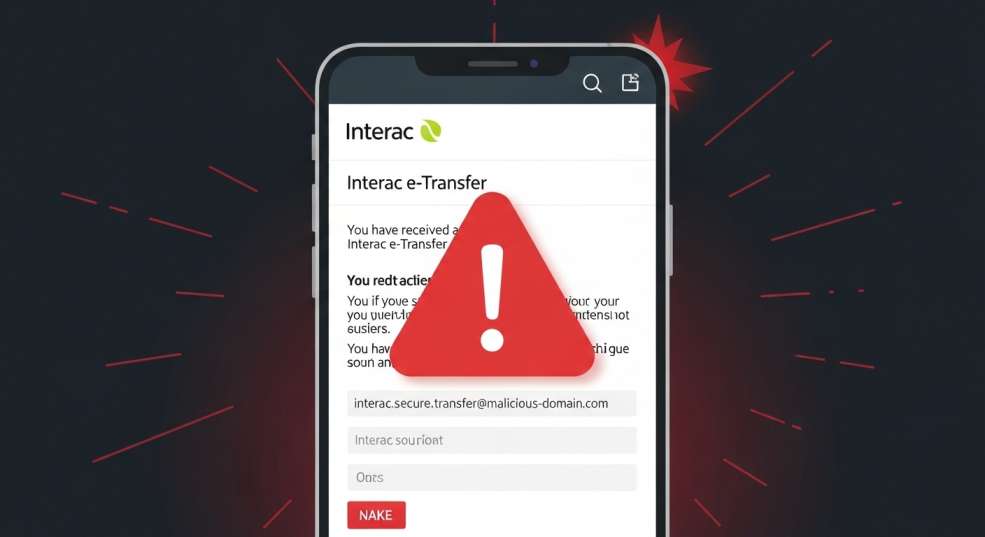
- Fake payment confirmation emails: You receive an email saying you’ve received money — but clicking the link leads to a phishing page. Always go directly to your bank’s app or website to check your balance.
- Overpayment scams: A buyer sends you “too much” money and asks you to return the difference. The original transfer is fraudulent, and you end up losing the difference.
- Romance scams and job scams: Online relationships or fake employers ask for transfers. Legitimate employers never pay via e-Transfer for onboarding purposes or ask you to re-send funds.
- Fake Interac alerts asking for your security answer: Interac will never email you asking for a security question answer. If you receive such a request, delete it immediately.
Best Practices for Safe e-Transfers
- Always double-check the recipient’s email or phone number before sending.
- Never share your security question answer via the same channel as the transfer notification.
- Set up Autodeposit to avoid security questions altogether.
- Treat e-Transfers like cash — once accepted, they cannot be reversed.
- Contact your bank immediately if you believe you’ve been scammed.
Interac e-Transfer for Newcomers to Canada: What You Need to Know
If you’ve recently arrived in Canada, Interac e-Transfer will quickly become one of the most useful tools in your daily life. Here are the key scenarios where you’ll encounter it:
- Paying rent: Many Canadian landlords — especially for private rentals — prefer or exclusively accept Interac e-Transfer. Your landlord will give you their email address; you send the payment monthly.
- Getting paid by employers or clients: Especially common for part-time jobs, freelance work, and contract positions.
- Splitting costs with roommates: Groceries, utilities, and shared expenses are commonly settled via e-Transfer.
- Receiving funds from family abroad: Not directly — but a family member in Canada can receive international wire transfers and then forward funds to you via e-Transfer.
- Government and benefits payments: Some organizations and even class-action settlement administrators use Interac e-Transfer for disbursements.
One important caveat for newcomers: Interac e-Transfer only works between Canadian banks. If someone overseas wants to send you money, they’ll need to use a wire transfer or international remittance service first.
Interac e-Transfer for Businesses: A Growing Trend
It’s not just individuals using Interac e-Transfer — businesses are increasingly adopting it as well. In 2024, over 350 million e-Transfer transactions involved businesses, making it a mainstream commercial payment rail, not just a consumer tool.
The “Request Money” feature is particularly useful: businesses can send invoice-linked payment requests directly to clients, who can pay through their own bank at zero cost to the payer.
Interac e-Transfer for Business also supports:
- Real-time settlement — funds available immediately.
- Higher transaction limits — up to $25,000 per transaction.
- Account number routing — pay directly to a business bank account.
- Bulk payments — some banks (like RBC) support up to 10,000 transactions in a single file upload.
For small businesses and freelancers, e-Transfer is often a cost-effective alternative to credit card processing — with flat fees around $1.50 per transaction compared to 1.5–3% credit card processing rates.
Interac e-Transfer vs. Other Payment Methods in Canada
How does Interac e-Transfer stack up against other ways to move money in Canada? Here’s a quick comparison to help you decide when to use which:
TABLE 3 (Infographic Opportunity): Interac e-Transfer vs. Other Canadian Payment Methods
Method | Speed | Max Amount | Domestic Only? | Fees | Best For |
Interac e-Transfer | Minutes | $25,000/txn* | Yes | Free–$1.50 | Everyday P2P & small business |
Wire Transfer (Domestic) | Same day | No limit | No | $15–$40 | Large transactions |
EFT (Electronic Funds Transfer) | 1–3 business days | High (varies) | Yes | Low or free | Payroll, recurring payments |
Cash | Instant | No limit (practical) | Yes | None | Small in-person payments |
Cheque | 3–5 business days | No limit | Yes | None or small fee | Formal/legal payments |
Credit Card | Instant | Credit limit | No | Merchant pays 1.5–3% | Consumer purchases |
PayPal / Wise | Minutes–days | Varies | No | Variable FX fees | International transfers |
* Per transaction maximum set by Interac; individual bank limits may be lower. Comparison is general in nature.
Infographic Opportunity: This comparison table would work excellently as a visual infographic — a side-by-side icon-based card layout showing each payment method with speed, cost, and use-case icons. Great for Pinterest and social sharing.
Frequently Asked Questions About Interac e-Transfer
Can I cancel an Interac e-Transfer?
Yes — but only if the recipient hasn’t accepted the transfer yet. Go to your bank’s app or online banking, find the pending transfer, and select “Cancel.” Most banks charge a cancellation fee of $3.50–$5.00. If Autodeposit is enabled, the transfer is immediate and cannot be cancelled.
What happens if I send money to the wrong email address?
This is unfortunately common — in 2024, an estimated 1.2 million Canadians sent transfers to wrong recipients. If the transfer hasn’t been accepted, cancel it through your bank immediately. If it has been accepted, contact your bank to report the error and request their help in recovering funds. There is no guarantee of recovery, which is why double-checking the recipient’s contact info is so important.
Is there a minimum amount for Interac e-Transfer?
Most banks set the minimum at $0.01, making it technically usable for any amount. Practically speaking, the minimum is often $1.00 for most users.
Does Interac e-Transfer work on weekends and holidays?
Yes. One of the key advantages of e-Transfer is that it operates 24/7, 365 days a year — including statutory holidays. This is a major advantage over wire transfers and cheques, which are subject to banking business hours.
How do I know if I have Autodeposit set up?
Log into your bank’s online banking or mobile app, go to Interac e-Transfer settings, and look for an Autodeposit section. If it shows a registered email or phone number with a green or active status, you’re set up. If not, follow the registration steps described earlier in this article.
Final Thoughts: Why Interac e-Transfer Matters in Canada
Interac e-Transfer is genuinely one of Canada’s great digital success stories. It’s fast, secure, widely supported, and deeply embedded in how Canadians handle everyday money. Whether you’re paying rent, splitting costs, invoicing clients, or receiving your first paycheque from a Canadian employer — you will use it.
For newcomers especially, getting comfortable with e-Transfer quickly is a practical priority. Set up your account, enable Autodeposit, learn your bank’s limits, and stay vigilant against scams — and you’ll be navigating Canadian financial life with confidence.
Key takeaways from this guide:
- Interac e-Transfer is Canada’s dominant digital money transfer system, processing 1.4 billion+ transactions in 2024.
- Transfers are typically completed within minutes and operate 24/7.
- Autodeposit makes receiving money faster and more secure.
- Daily send limits vary by bank, typically around $3,000 — check yours before you need it.
- Receiving money is always free; sending fees depend on your account type.
- Always verify recipient info — accepted transfers cannot be reversed.
- Scams exist: never share security answers via the same channel as transfer notifications.
Sources & Further Reading
- Interac Corp. — Interac e-Transfer FAQ
- Interac Corp. — Send & Receive Money
- Government of Canada / Competition Bureau — Interac Pricing Monitoring (July 10, 2025)
- ClearlyPayments — How Interac e-Transfer Works for Merchants (2025)
- ClearlyPayments — Interac Statistics Canada 2025
- Remitbee — Interac e-Transfer Limits Canada (2025)
- Savvy New Canadians — e-Transfer Limits by Bank
- WOWA.ca — Interac e-Transfer Limits of Canadian Banks
- Spring Financial — e-Transfer Limits in Canada
- TD Canada Trust — Send Money Using Interac e-Transfer
DISCLAIMER
The information provided in this article is for general informational and educational purposes only and does not constitute financial, banking, or legal advice. While every effort has been made to ensure accuracy as of the date of publication, banking policies, fees, transfer limits, and product features can change at any time without notice. Readers are advised to verify all details directly with their financial institution before making any financial decisions. ArriveThenThrive.ca is not affiliated with Interac Corp., any Canadian bank, or any financial institution mentioned in this article. Interac® and Interac e-Transfer® are registered trademarks of Interac Corp. Used for informational reference only.
© 2026 ArriveThenThrive.ca — Your Canadian Newcomer Resource
